Items
Items
Dashboard
Dashboard
Purchase Orders
Purchase Orders
Package slips
Package slips
Suppliers
Suppliers
In Verso there are two kind of dashboards;
1. Activity feed, will give you insight in the traffic in your inventory
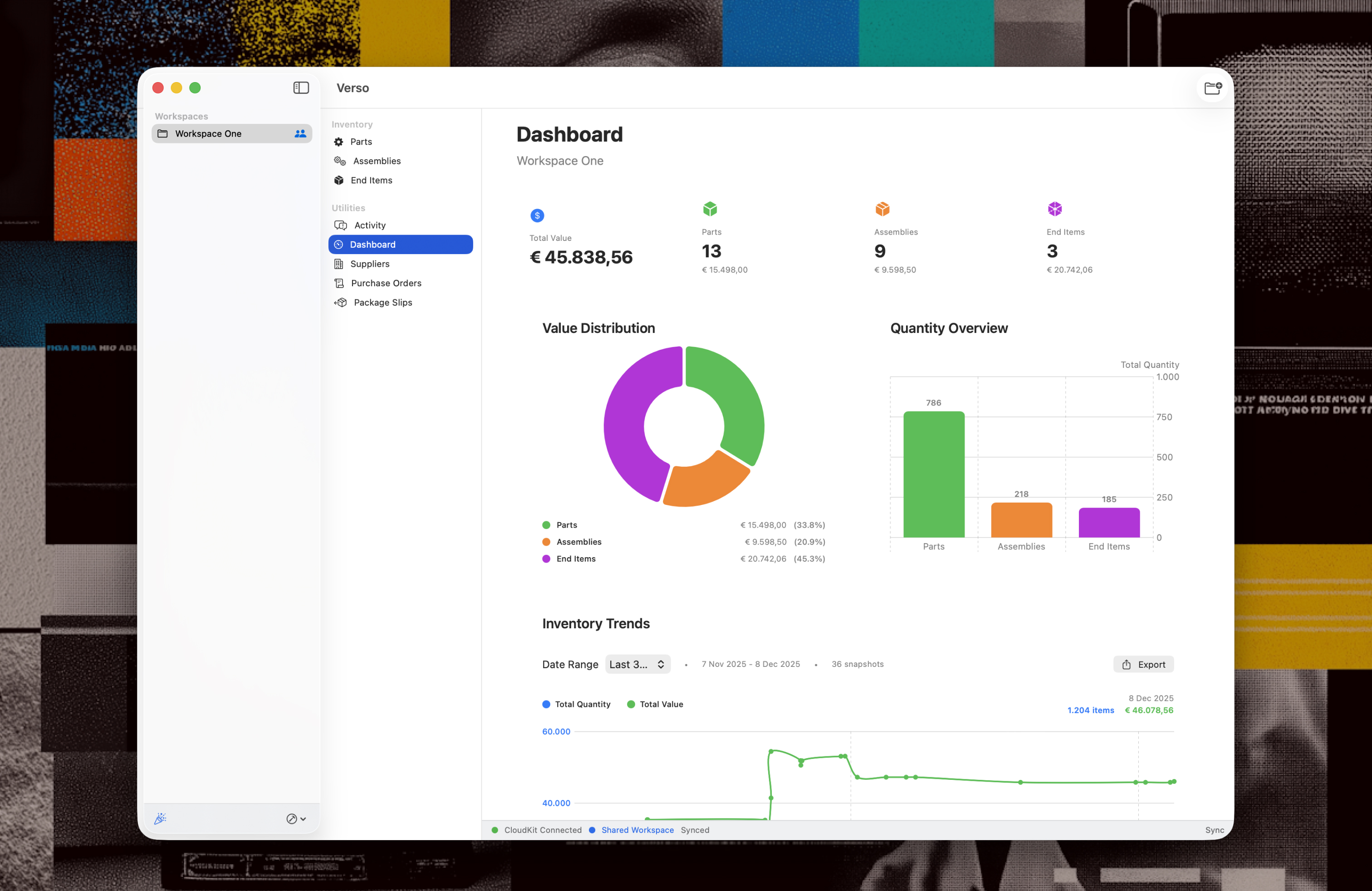
2. Dashboard, generates insight in the numbers of the inventory


Activity feed

The Activity feed is the tab that will open automatically when you open Verso. It will show you the filtered view 'Since last opened' so you see instantly what has happened since you last used Verso. You are able to adjust the filter to see more of the activities.

Dashboard

The dashboard of Verso shows you a variety of numbers, like total value, value distribution, quantity overview. In the dashboard you'll also find a graph that represents the total value and the numbers of items in the inventory over time.

With this graph comes also the possibility to generate exports for a chosen period of time. So if you are preparing for the next year, or that big quarterly meeting that is coming up? This will generate the numbers your are looking for in an instant, or you can just pull up Verso on the screen and show them real-time.