Menu
Close

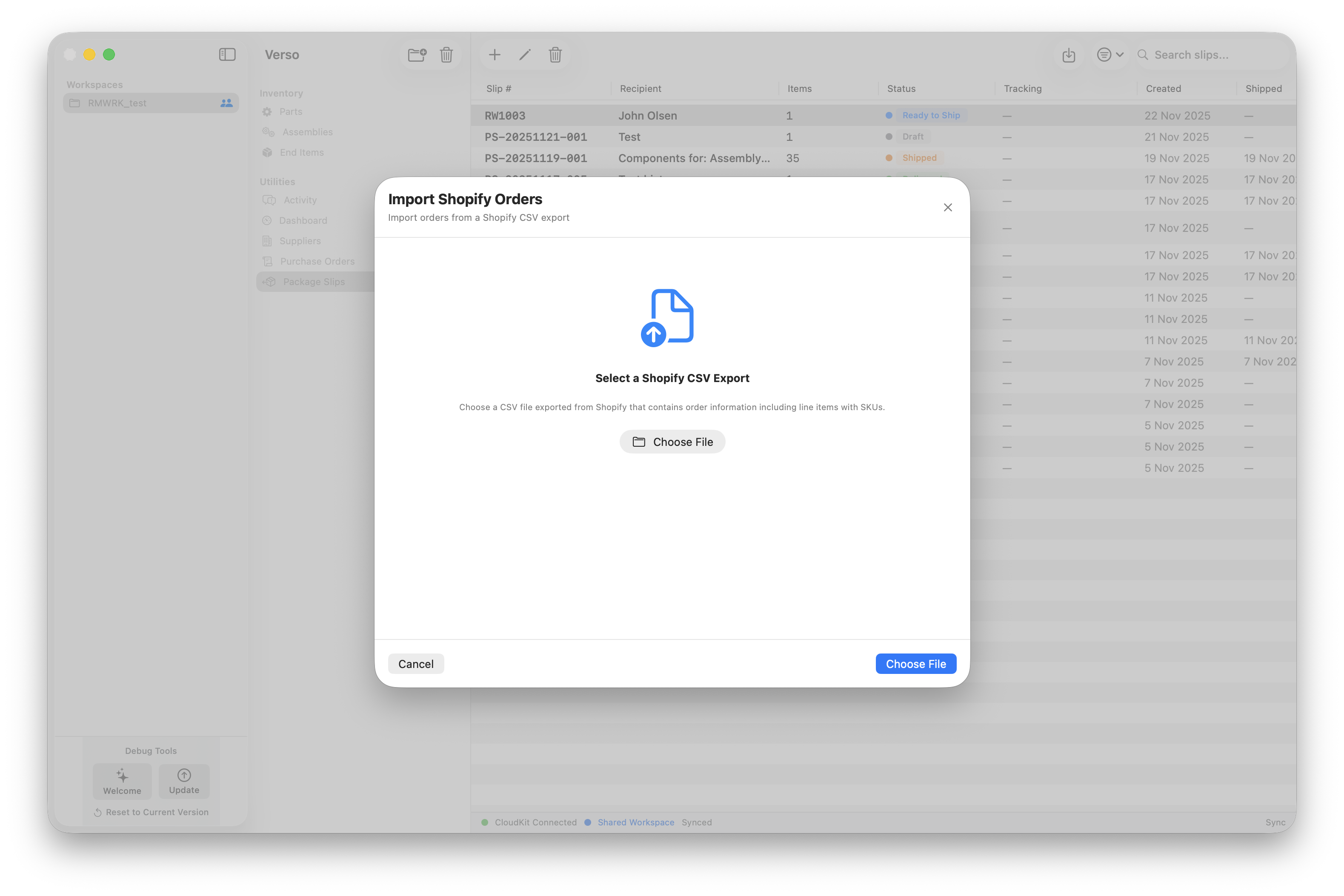
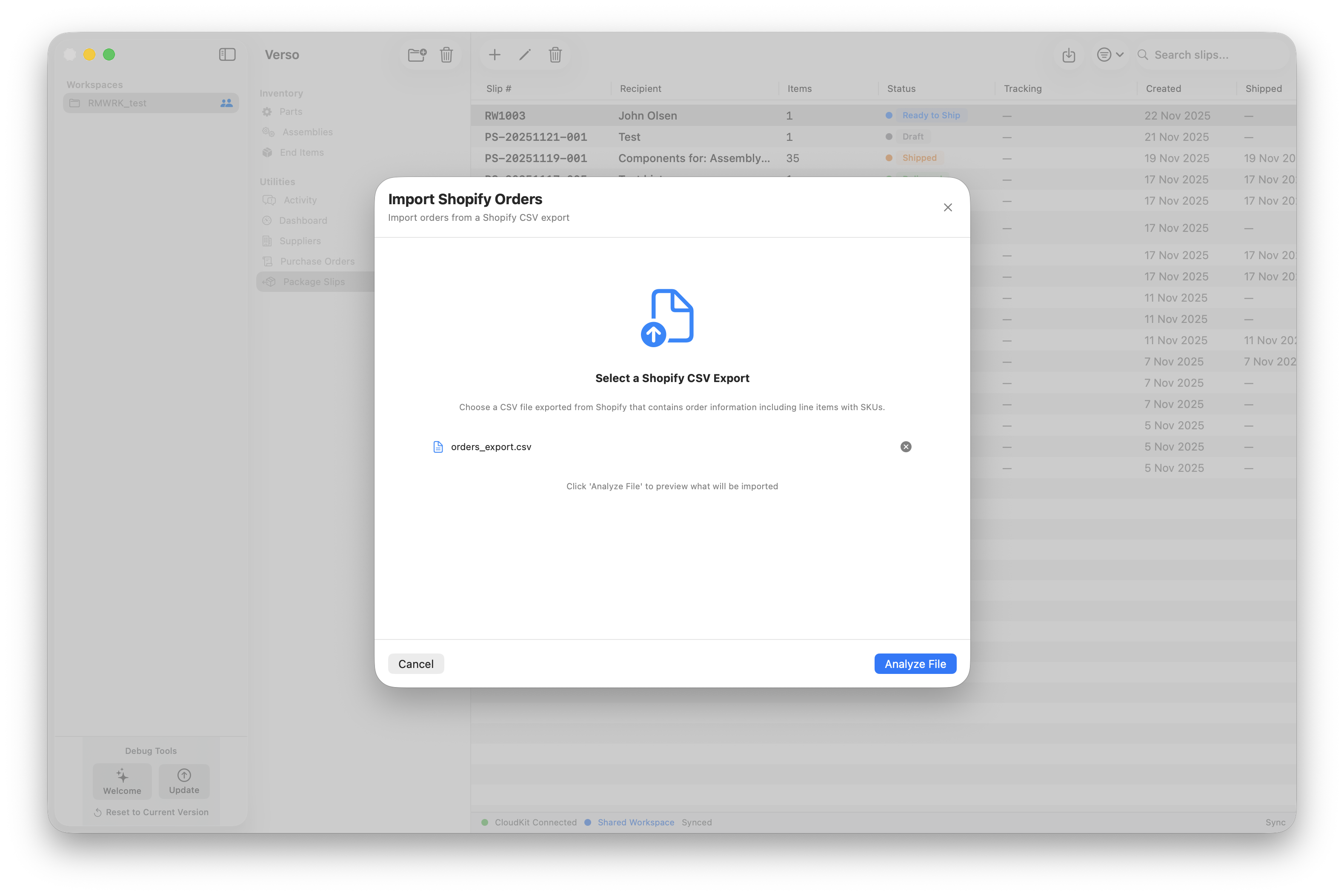
With version 3.39 the import of Shopify orders became available, with this function you are able to import the 'Orders export' from Shopify into Verso and keep track of your orders and shipments. As we would like to make this a full integration, this is the first step into creating your inventory truth more easily from day one.
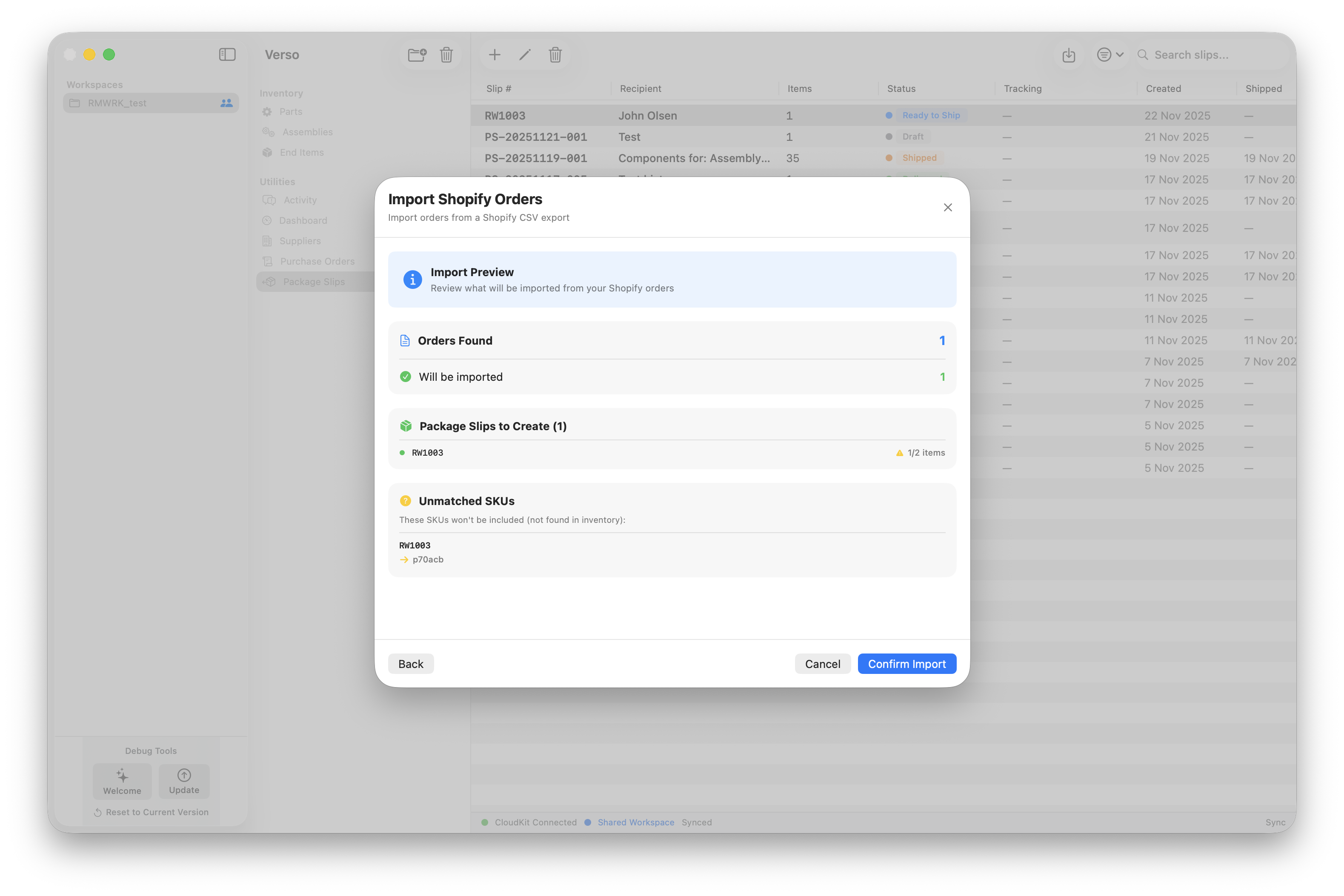
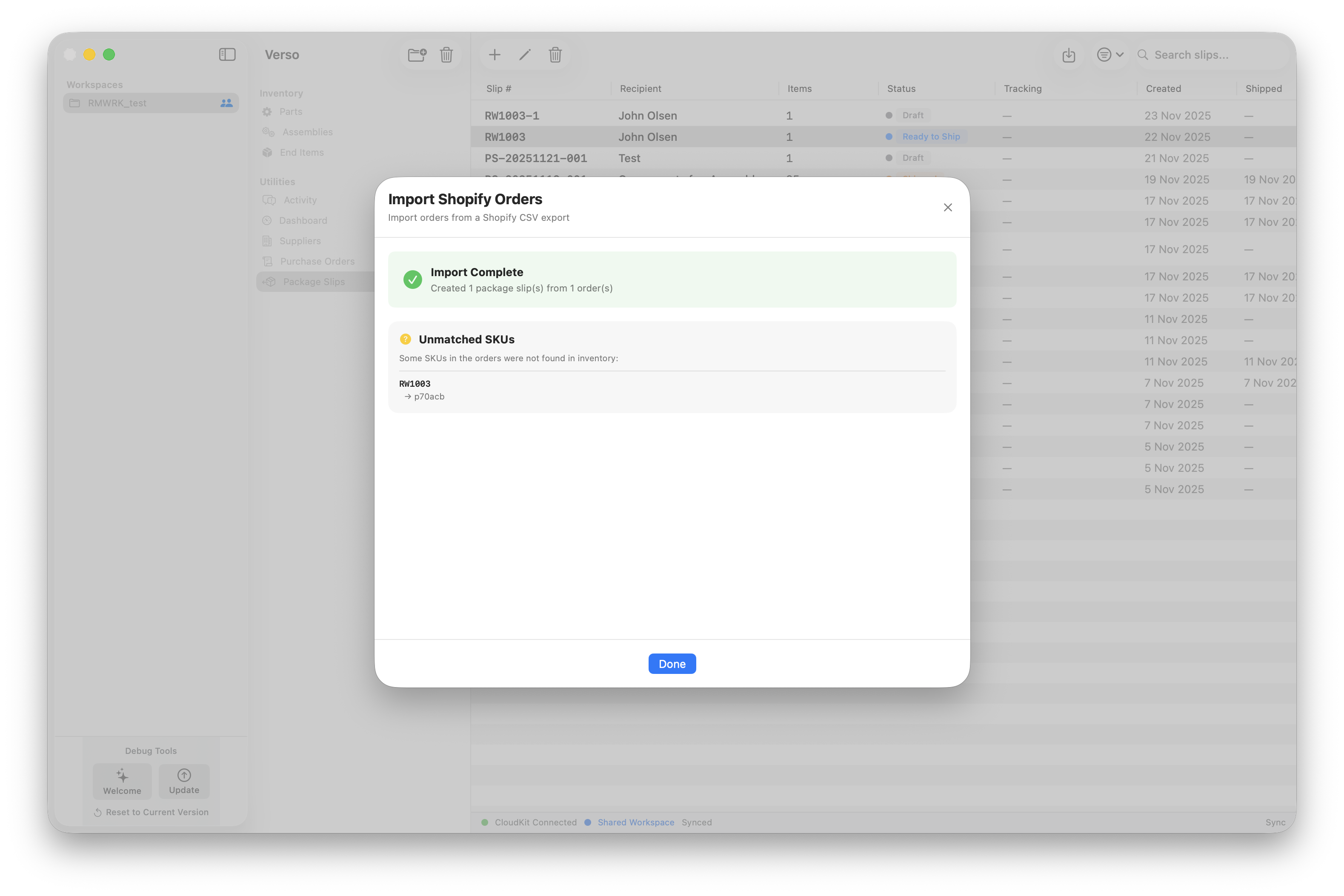
The import will read the SKUs that are in the orders and will create a package slip of each order with all items in the order and put the package slip in a draft state so you can review them and push them when you are ready. Important for this function to work: is to make sure your Shopify is using your Verso SKUs. The package slip will take care of the subtraction from the inventory and if you want creates a package slip for you or your warehouse to use for getting the package ready.
Using this workflow has the benefit of working from a single source of truth before shipping, so you know exactly what you are able to ship and when to communicate to your customers actively.
If you run an import multiple times it will import the order also multiple times, with a post-fix number, so you easily see which package slips are duplicates.